HandPilot
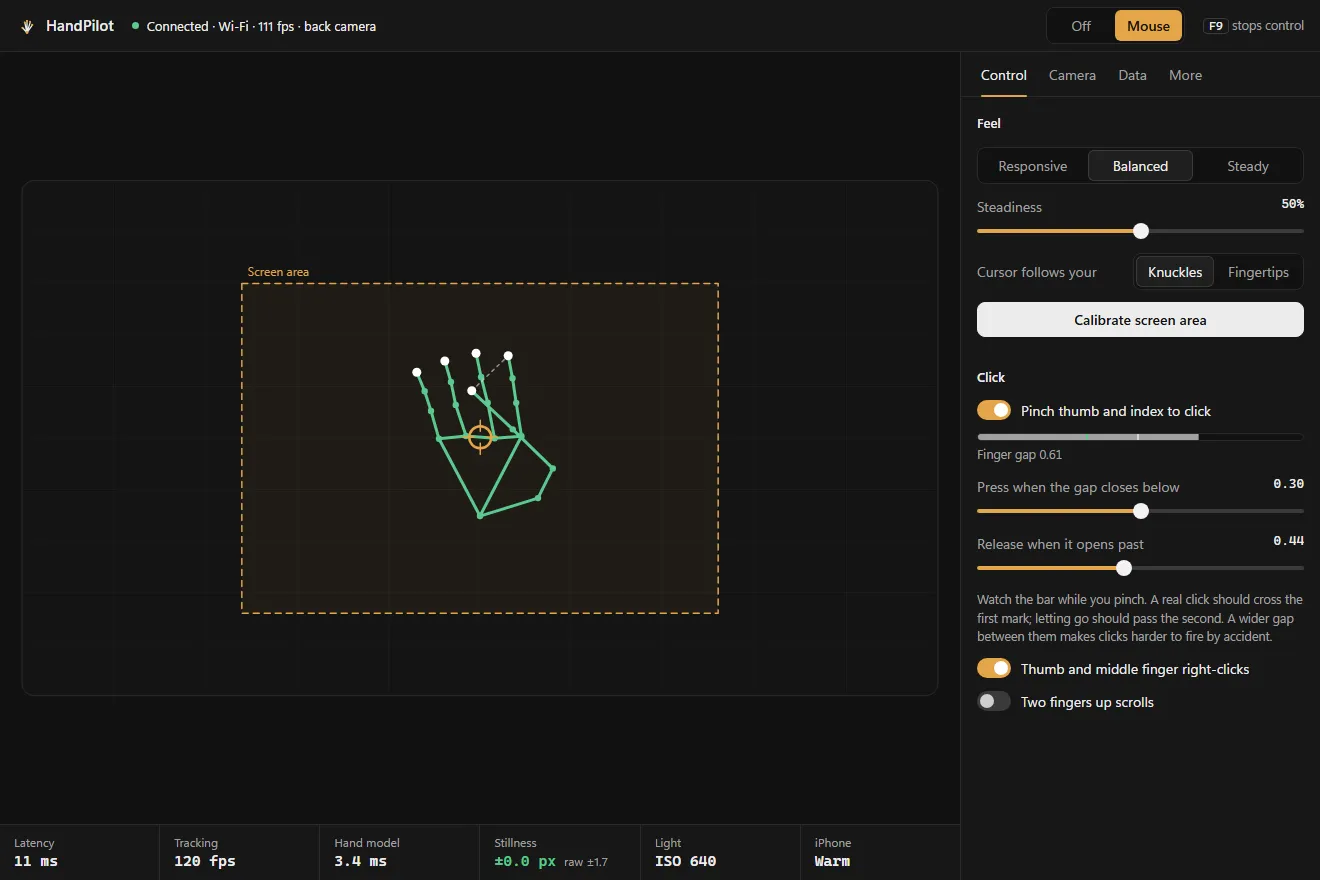
Hand tracking on an iPhone, streamed to a computer over a USB cable at up to 120 frames a second. Use it as a mouse, or read the 21 joints from your own code.
Role Solo project, open source under MIT
Hand tracking with a laptop webcam always felt laggy and smeared to me. The same idea running on my iPhone felt instant, mostly because of the camera, 120 frames a second instead of 30 and a 1/500 s shutter, so a moving hand stays sharp. HandPilot runs Apple's hand model on the phone and sends only the joint positions down the cable. No video leaves the phone.
Why the phone
Two numbers set the floor. Frame rate is a latency floor: at 30 fps you are on average 16 ms behind the hand before any processing starts, at 120 fps it is 4 ms. Shutter speed is an accuracy floor: a hand moving at 1 m/s smears across about a third of a palm in a webcam’s 1/30 s exposure, and the model then fits fingers to a streak. At 1/500 s that is about 2 %. The cost is light, so the app runs an ISO servo, and a dim room is the one thing that still holds it back.
Getting the cursor still
The first version shook visibly, and it turned out to be four separate problems stacked up: the smoothing slider ran backwards, an extrapolation step overshot every time the hand stopped, the cursor rode on the thumb tip, the noisiest point the model reports, and the filter ran on arrival times that come in bursts rather than on the phone’s capture times.
Now the cursor follows the average of the four knuckles, which barely move when you pinch to click, through a One Euro filter on capture timestamps and a small dead zone. A still hand holds the cursor perfectly still. Pinching thumb and index clicks, holding the pinch drags.
What it is good for
Presenting, couch control, demos and creative coding. Pointing in mid-air is less precise than a mouse and your arm gets tired, so it is not a mouse replacement. The desktop side has no dependencies at all, and the raw joint stream works on Windows, macOS and Linux.
Signal path
06 stages- 01 Camera 120 fps, 1/500 s
- 02 Apple Vision on the phone
- 03 21 joints 291 bytes a frame
- 04 USB tunnel into the phone
- 05 Filter One Euro + dead zone
- 06 Cursor or your own code
The phone is the server. Apple's USB multiplexer can open a tunnel from the computer into a port on the phone but not the other way, so the phone listens and the computer dials in.